Android Device Testing FAQ & Quick Start Guide
How Device Changer works, screen by screen.
Video guide
About
Device Changer applies a saved device profile, identifiers, Wi-Fi list, location, and hide rules on a rooted phone so the app under test sees that environment. Setup is in the installation guide. Root, if you do not have it yet, is in the root guide.
How to use
Each screen below is a separate part of the same test setup. Values stay on the phone until you randomize them, load a snapshot, or restore a backup. A reboot is what makes every app reread the new identity.
Home
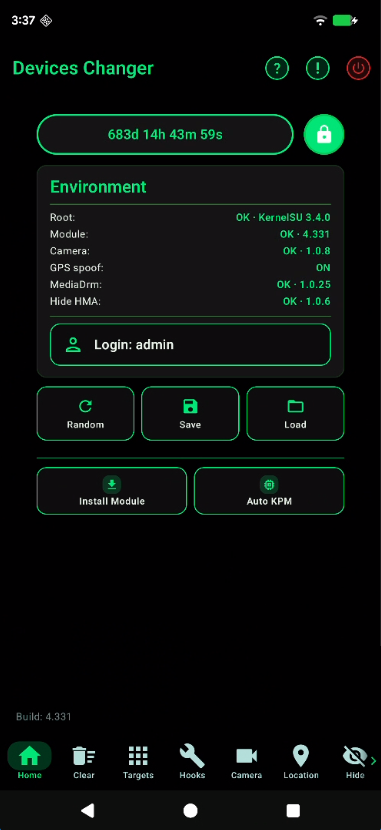
Home is the license, the live environment, and the actions that rewrite the whole identity at once.
- License and account
- The timer is remaining access time. The lock opens the code entry. The signed-in login is shown when a cloud session is active.
- Environment
- Live status for root, the Device Changer module, the camera hook, GPS spoof, MediaDrm, and Hide (HMA). A row is OK only when that piece is actually loaded.
- Random
- Opens Random all. Tick the layers to rebuild: Wi-Fi, Faker ID (only cards that are already enabled), SIM (operator, IMSI, towers, network), device profile, and App ID (the SSAID list). Apply writes them. You may be asked to reboot.
- Save and Load
- Save writes a JSON snapshot of Faker ID values and switches, the Wi-Fi list, the device profile, and the App ID file. Load puts that snapshot back and syncs it into the module. Reboot so every app sees it.
- Reboot
- The red power button in the top bar asks for confirmation, counts down, then restarts the phone. Use it after Random, Load, or a module install so every app rereads the new identity.
- First-setup tiles
- Install Module installs the Zygisk set (Device Hide, MediaDrm, camera hook, TEESimulator, BRENE, KPatch, Play Integrity Fix, ReZygisk, NoMount). Auto KPM loads the kernel modules after boot: SusMap, TunHide, Selenf, NlDump, UnameHide, ExecShim. Turn on Enable after reboot, then Save. KPatch has to be active first. BRENE Patch writes the SuSFS uname patch into an already installed BRENE module. Reboot after either install.
Targets
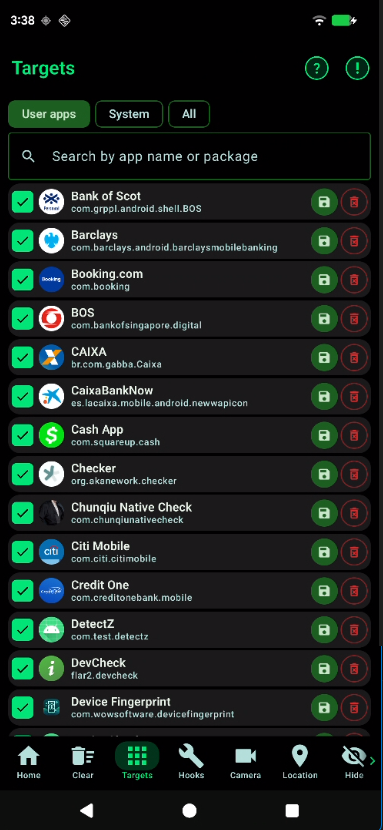
Hooks run in the apps you put on this list. Open a row to decide which hooks that one app gets.
- List
- Filter User apps, System, or All. Search by name or package. The check adds the app to the spoof list. Root is required to save that list.
- Hooks for one app
- Tap the row. Categories are Core, Telephony / SIM, Wi-Fi / Bluetooth, Identifiers, Build / device, Location / GNSS, Sensors, and Other. A custom list runs only the hooks you leave checked. An empty custom list means no per-app hooks. Clearing the custom list returns the app to the global switches.
- Save
- Backs up that app’s private data together with the module settings. Destination is the cloud account or this phone (
Download/DeviceChangerBackups). You can add a name and a note. - Clear data
- The trash icon force-stops the app and clears its data. The app stays installed. Leftover private folders, Android/data, OBB, and ART cache for that package are removed too. This cannot be undone.
Hooks
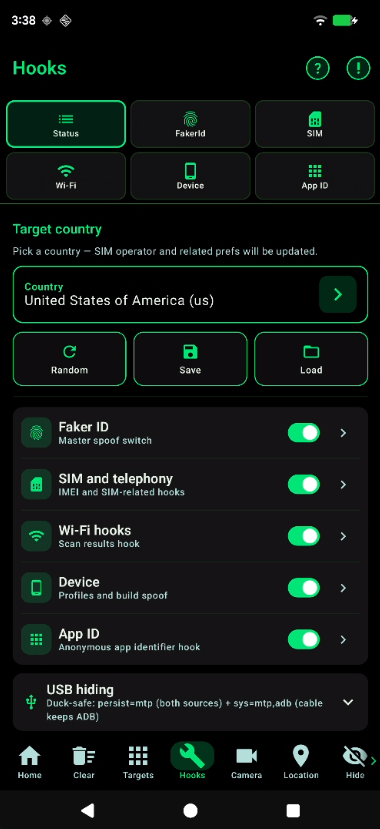
Status is the master panel. The tiles under it open Faker ID, SIM, Wi-Fi, Device, and App ID.
- Target country
- Picking a country updates the SIM operator and the related preferences: MCC/MNC, locale, and time zone follow that country.
- Group switches
- Five switches turn whole groups on or off: Faker ID, SIM and telephony, Wi-Fi scan results, device profile, and anonymous App ID. Save writes them. Random fills new values. Load restores a saved set.
- USB hiding
- Duck-safe USB sets the cable to MTP while ADB stays available on the cable and on TCP 5555. Developer-options hiding makes Settings report ADB and developer mode as off. Mock-location hiding covers
isFromMockProvider, the mock-location settings keys, and AppOps. - Secure screenshots
- Allow screenshots of windows that set FLAG_SECURE. The hook has to be in scope for System Framework and SystemUI, and it needs a full reboot.
- Battery
- Further down Status, battery spoof sets the charge level and, with it, charge status, health, temperature, voltage, technology, full capacity, cycle count, current, and the charge counter. Sync all derives charge and current from the level and status so the numbers agree.
Wi-Fi
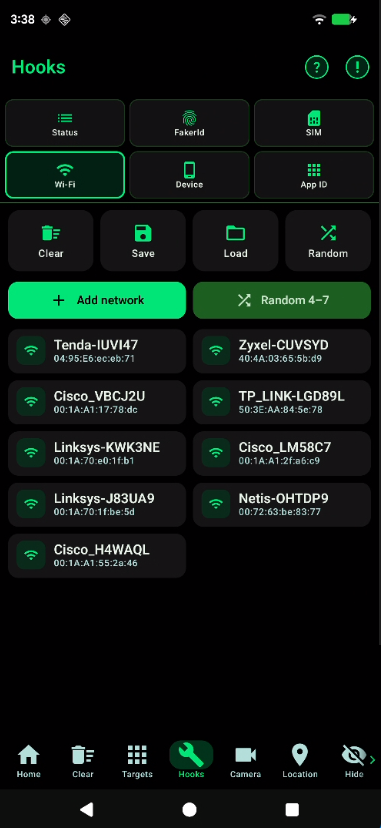
This is the scan list target apps see. The Wi-Fi switch on Status has to be on, or the list is not applied.
- One network
- Add network and the pencil set SSID, BSSID, signal in dBm, and frequency in MHz. Signal and frequency each have a random button. Force show keeps that network in the results.
- The whole list
- Random 4–7 replaces every card with that many new networks. Randomize-all rebuilds the networks already on the list. Clear empties it. Save and Load write the list to a file and read it back.
Faker ID
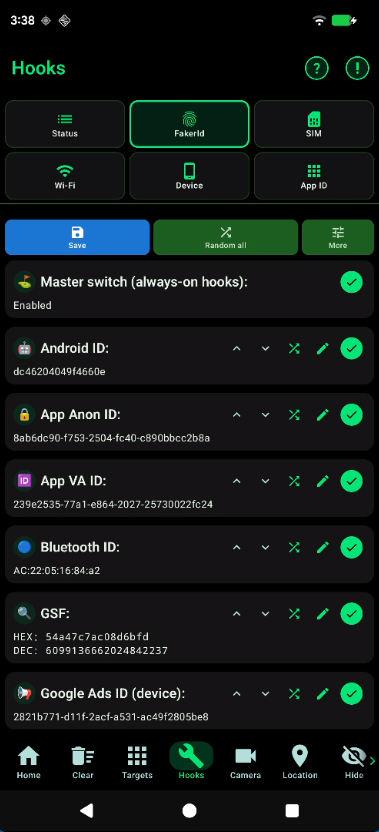
Each card is one identifier. A card that is off leaves the real value. Nothing is applied until Save.
- Cards
- Android ID, App Anon ID, App VA ID, Bluetooth, GSF, Android advertising ID, Google Ads ID, Google App Set ID, GUID, hardware serial, IMEI, Wi-Fi MAC, mobile number, MediaDrm / Widevine, SIM operator, SIM serial, cell towers, IMSI / ICCID, SIM Sub ID, and the connected Wi-Fi network (SSID + BSSID).
- One card
- The check enables the hook. The pencil edits the value, the dice randomizes that card, reset puts the real value back. GSF accepts decimal or hex inside a signed 64-bit range. Apply to GMS pushes the Google IDs into Play services.
- The whole list
- Master switch is the always-on gate. Random all regenerates every enabled card. Select all, cancel all, and clear all act on the checks. Save list and Load list keep a set of values. Reorder cards changes the order on screen. Reboot applies the set to apps that cache IDs.
Device
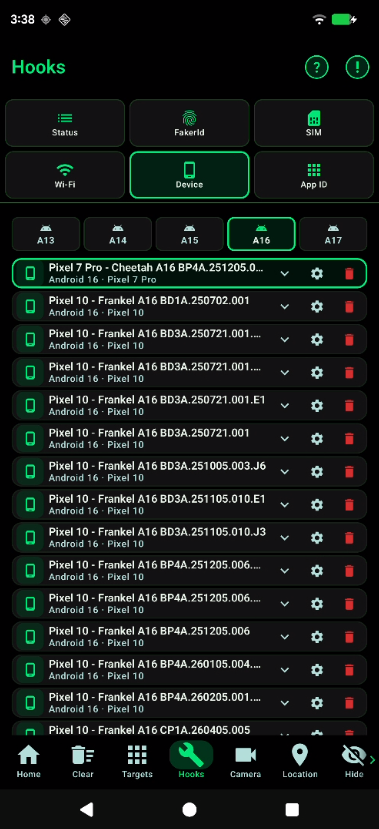
A profile is a real device build. Choosing one writes those properties into the hooks.
- List
- Filter by Android version, A13 through A17. An empty filter means that version has no downloaded profiles — switch version. The gear opens the property list. Delete removes the profile from the phone.
- What a profile sets
- Model, brand, manufacturer, device and system name, fingerprint, build id, incremental, host, user, tags, description, flavor, board, hardware, SKU, bootloader, baseband, kernel uname, and user agent. Display size, camera count, and the sensor list follow the same profile.
- On the card
- Expand a profile to read Android version, build, manufacturer, brand, device, model, and fingerprint before you apply it. The gear opens the full property list. The filter starts from this phone’s real Android version. A mismatched API band can confuse apps, so change A13–A17 only when that band is intentional.
SIM
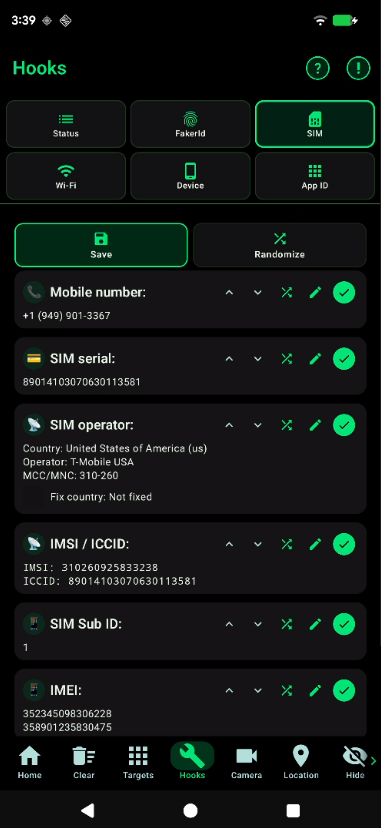
SIM is the telephony identity. A row that is off stays the real phone. Fix country keeps the operator inside the country set on Status.
- Identity
- Mobile number, SIM serial, operator name, country, MCC/MNC, IMSI, ICCID, SIM Sub ID, and both IMEI values.
- Radio picture
- Fake SIM present, one or two SIMs, roaming on or off, LTE versus another network type, and a natural network profile. Cell towers have a min–max count. Signal strength and carrier id follow the operator. Randomize builds a new set for the fixed country. Save writes it.
App ID
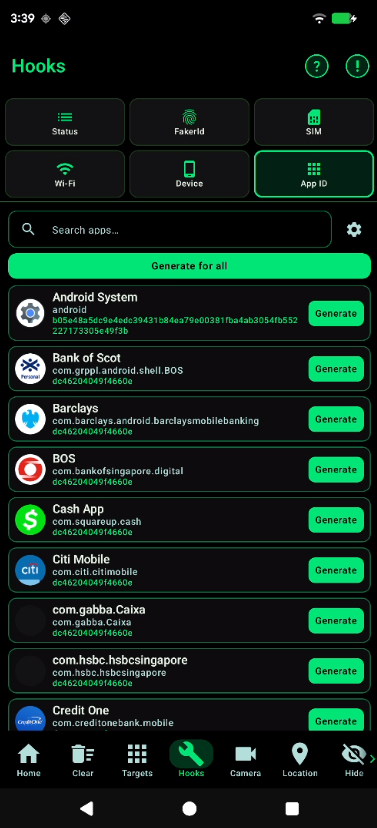
This rewrites the per-app Android ID in the system SSAID file (/data/system/users/0/settings_ssaid.xml). The list is built from that file, not from the launcher.
- Generate
- Search for a package and tap Generate, or Generate for all to replace every listed app. The new value is what that app reads as its own Android ID.
- Edit, save, load
- A row can be edited as hex, not only generated. The menu Save list and Load list keep the whole SSAID set. Root is required. Before the first overwrite, the original file is copied to
settings_ssaid.xml.backup.
Camera
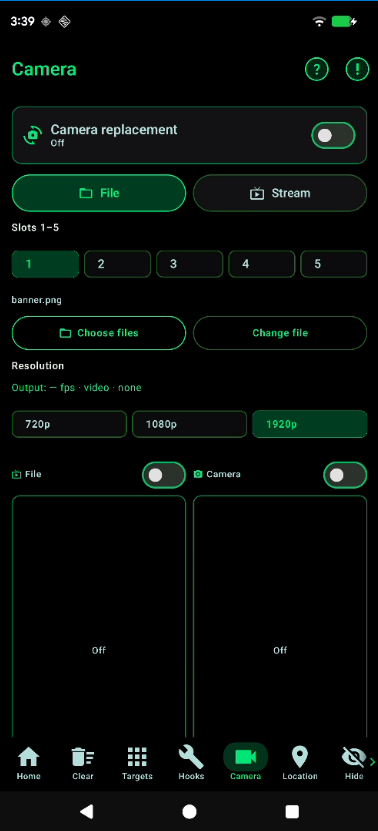
Replacement stays off until you enable it. Apps that open the camera then receive the file or the stream instead of the sensor.
- Source
- File is a picture or video you pick. Stream is a live RTMP URL. Slots 1–5 hold different sources. Resolution is 720p, 1080p, or 1920p. The File and Camera switches choose which preview is injected. Both stay off until you turn them on.
- Picture
- Below the previews: rotate and flip (the source transform is what the camera receives), zoom, pan X/Y, aspect ratio, and fit mode Stretch, Crop, or Fit. Width and height scale separately. Reset returns the transform. Output FPS is shown next to the resolution.
- Overlay and pose
- The control overlay floats over the camera (needs Display over other apps) and switches slot, fit, zoom, and pan without leaving the camera app. Hide from apps masks that overlay. Hold is Selfie or Document. Sensor movement spoofs IMU pose for every app; the first time it is turned on, reboot.
- Hook and diagnostics
- The hook card shows Ready, Not installed, Broken, or Reboot required, and can install or update the hook. Camera HAL can be pinned and self-tested. Diagnostics is a separate screen: device, root, hook, and pipeline. Refresh reloads it. It does not start replacement by itself.
Location
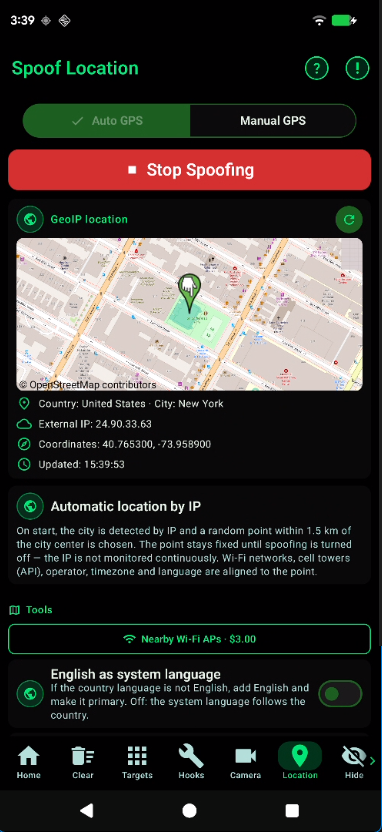
Spoof GPS is either automatic from the external IP or a point you pick. Stop Spoofing returns the real location.
- Auto GPS
- On start, the city is detected from the IP once. A random point within 1.5 km of that city center is chosen and held. The IP is not watched continuously. Wi-Fi networks, cell towers, operator, time zone, and language line up to that point. Refresh GeoIP reads the IP again.
- Language and mock app
- English as system language adds English and makes it primary when the country language is something else. Off: the system language follows the country. Developer mock location app sets this app as the mock provider for all apps. The publish cycle is 1–10 seconds.
- Manual GPS
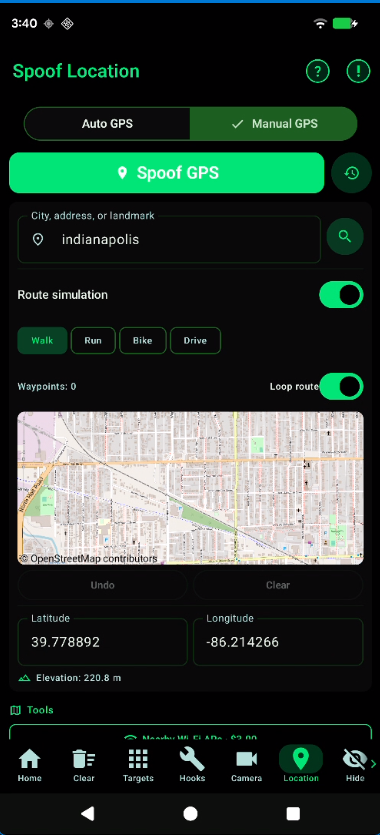
- Search a city, address, or landmark, tap the map, or type latitude and longitude. Elevation is shown in meters. Started points are kept in History. Then tap Spoof GPS.
- Route
- Tap the map to add waypoints (at least two). Modes are Walk, Run, Bike, and Drive. Loop repeats the path. Undo and Clear edit the waypoints. A separate movement profile can stay Still, Walk, Bike, or Vehicle without a drawn route.
- What moves with the point
- GNSS measurements, NMEA, navigation messages, and GNSS status follow the spoof. The barometer follows elevation. BLE scans can be blocked or replaced with synthetic iBeacon / Eddystone results. China map SDKs (AMap, Tencent, Baidu) are sanitized. Nearby Wi-Fi APs buys a local scan around the coordinates from the wallet ($3.00) and needs an active license.
- Satellites
- A separate switch fills the sky so apps that count GNSS do not see zero satellites. Min and max are each 10–50. Constellations are GPS, GLONASS, Galileo, and BeiDou. The list refreshes while spoof is on. Reopen a map after turning spoof on — some apps keep the last real point.
Hide
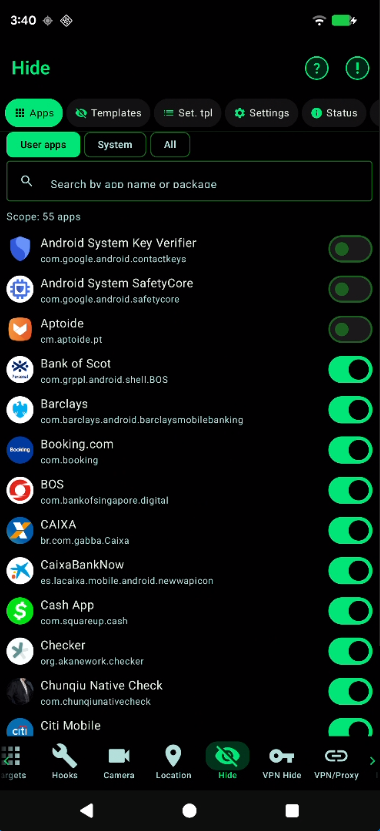
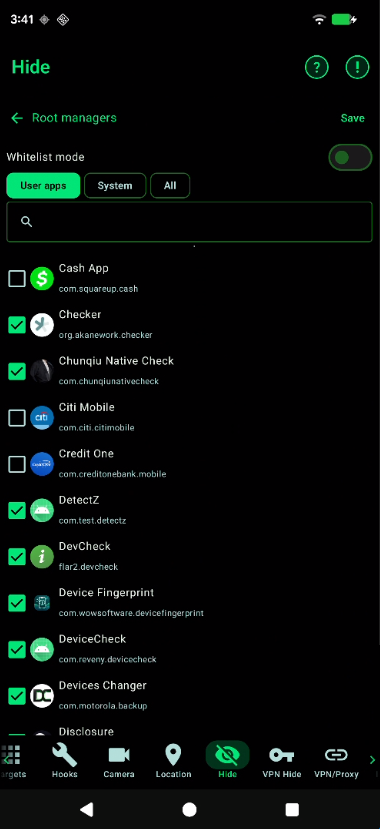
Hide My Applist keeps selected packages out of the lists other apps can read. Status shows root, whether the Zygisk module is loaded, how many apps have hide enabled, and filter hits. Reboot after the module is first installed.
- Apps
- A switch adds that package to the hide scope. Extra packages can be typed one per line if they are not in the installed list.
- Templates
- App templates and settings templates reuse a saved set. Presets cover root apps, detectors, suspicious apps, custom ROM tools, Shizuku, accessibility apps, developer options, and input methods. A template is blacklist or whitelist.
- Root managers
- With Whitelist mode on, only the ticked apps are allowed to see root-manager packages. Exclude system apps is a separate switch. Tap Save.
- Settings
- Hide the installation source, including the system installer. Settings templates rewrite
global,system, orsecurekeys. Optional switches: WebView protection, package-query workaround, and data isolation. Logs can be cleared from the Logs tab.
VPN Hide
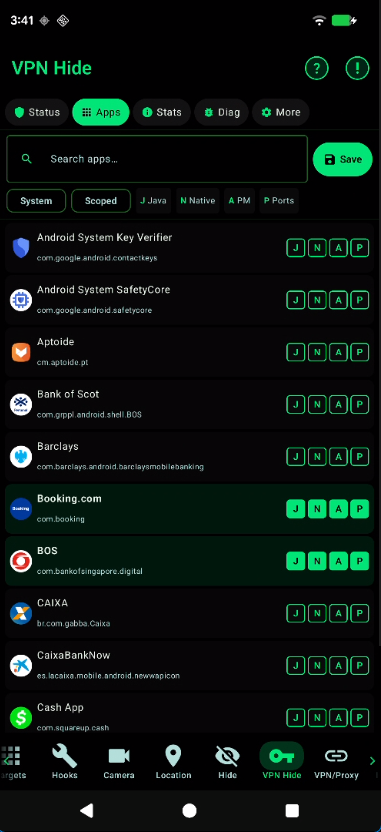
VPN Hide decides, per app, which VPN signals are stripped. Filter the list with System or Scoped, set the letters, then Save. Status shows whether the hide modules are installed.
- J and N
- J is the Java hook. N is native, and it is All or Disabled. SystemUI needs J if the VPN key in the status bar should disappear.
- A and P
- A hides VPN-related apps from PackageManager. P blocks localhost proxy ports. P can break a local service that app still needs, so leave it off unless the check is specifically about ports.
- Status
- The Status tab shows Java, Zygisk, ports, KPM, and kernel-module readiness, plus the kernel release. Ready, partial, and idle are separate states. Do not load the kernel module and the KPM together.
- Stats, Diag, More
- Stats are the native counters. Diag runs probes from this process: PASS means no VPN leak is visible here. More has a debug switch, export of the config, and import — paste the JSON and apply it. VPN Hide does not start a tunnel. Turn the tunnel on under VPN / Proxy.
VPN / Proxy
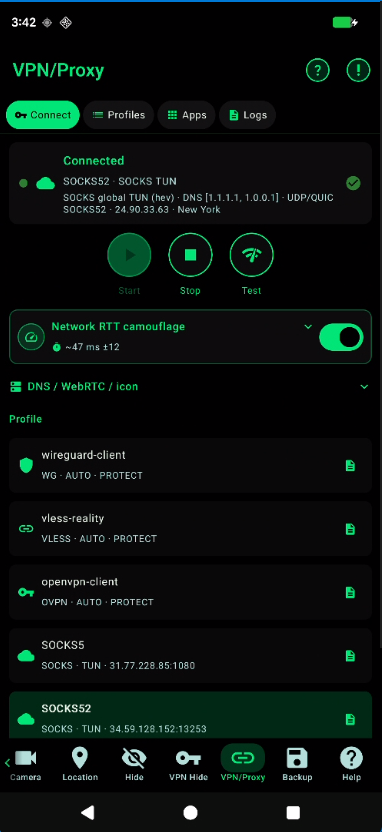
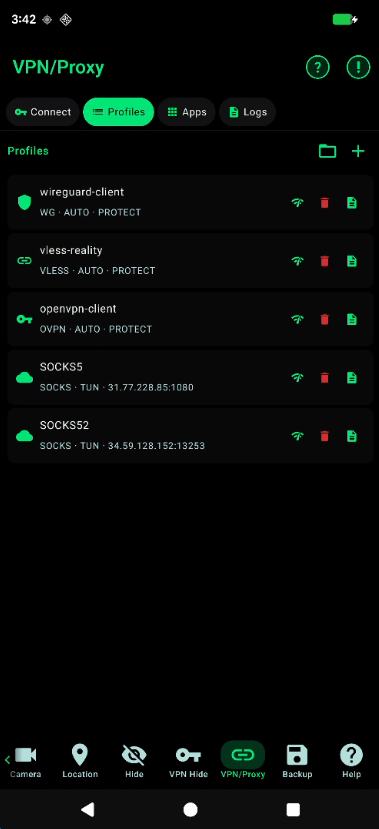
One tunnel at a time. Tabs are Connect, Profiles, Apps, and Logs.
- Connect
- Start, Stop, and Test use the selected profile. Chips show DNS, WebRTC mode, the status-bar icon, and Kill Switch. Hide key turns on VPN Hide J for SystemUI so the VPN icon goes away.
- RTT camouflage
- Auto takes the delay from the SIM country. Manual sets RTT in milliseconds and jitter. The per-app network RTT hook has to be enabled for the app under test.
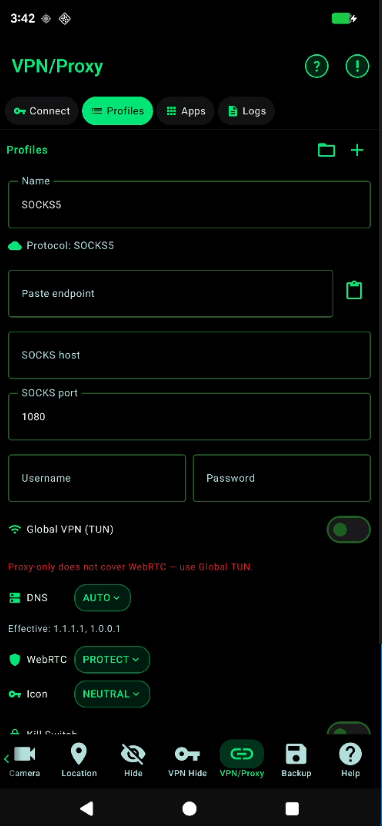
- Profiles
- WireGuard (
.conf), VLESS (vless://or sing-box JSON), OpenVPN (.ovpn), and SOCKS (host, port, user, password, or a pasted endpoint). Import a file or tap +. DNS is AUTO or a custom list. WebRTC PROTECT spoofs the exit IPv4. Local TUN IP can be set; WireGuard’s Address line is rewritten on connect. - Global VPN
- Leave Global VPN (TUN) on. Proxy-only does not cover WebRTC. Kill Switch blocks all traffic if the tunnel drops, and it is restored after reboot.
- Apps
- The Apps tab is split-tunnel. A switch that is on excludes that package from the tunnel, so it uses the normal network. The header shows how many apps are excluded.
- Logs
- Logs is the connection log for the current tunnel. Clear logs wipes it. Test on Connect reports OK with the round-trip time, or FAIL with the reason. A denied VPN permission is reported here too.
Backup
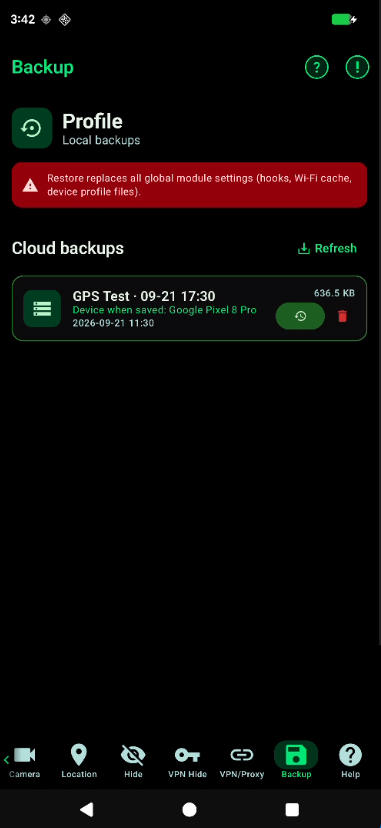
A backup is the hooks, the Wi-Fi list, the device profile, and, when you save from Targets, that app’s private data.
- Where it lives
- Local copies stay in
Download/DeviceChangerBackups. Cloud copies belong to the signed-in account. The screen shows the login, whether the license is active, and the device model that was current when the backup was saved. Refresh reloads the server list. Not signed in, session expired, and signed-in-elsewhere are separate states. - Restore
- Restore replaces global module settings: hooks, Wi-Fi cache, device profile files, the per-app hook list stored in that backup, and the target app’s private data if it was included. Reboot is recommended. Delete removes the cloud copy. It does not uninstall Device Changer.
Help
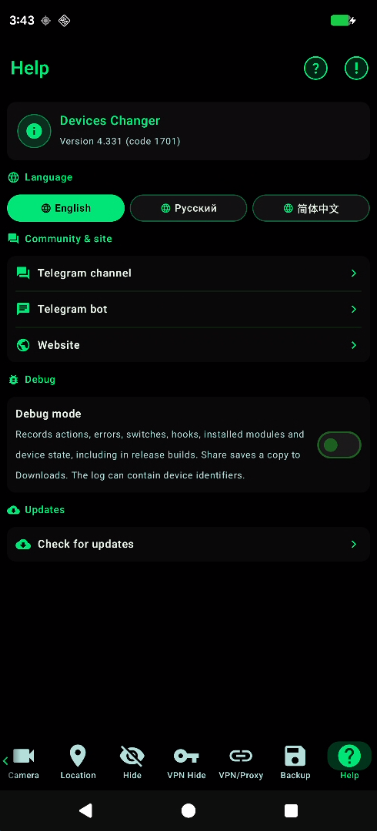
- App
- Version and build code. Language is English, Russian, or Chinese. Community links open the Telegram channel, the bot, and the website. Check for updates looks for a newer build.
- Debug
- Debug mode records actions, errors, switches, hooks, installed modules, and device state, including on a release build. Share saves a copy to Downloads. Clear wipes the log. The file can contain device identifiers.
Clear
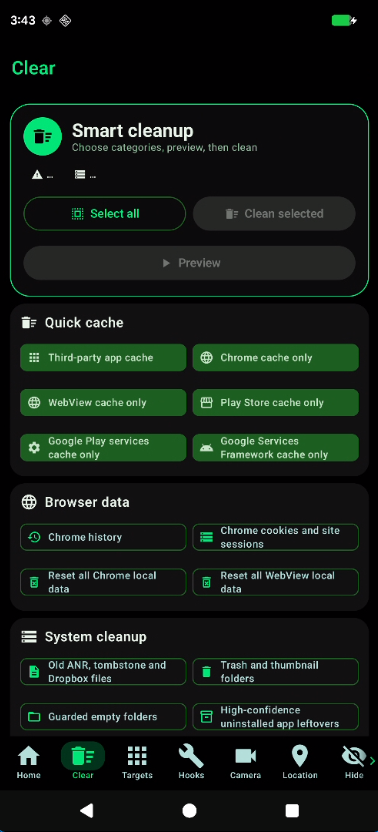
Clear removes leftover data from the previous test. It does not change hooks. Tick categories, tap Preview, then Clean selected. Every target is checked again before it is deleted.
- Quick cache
- Third-party app cache, Chrome, WebView, Play Store, Play services, and GSF. Cache folders stay in place. Accounts and tokens are not reset.
- Browser data
- Chrome history, Chrome cookies and site sessions, and a full reset of Chrome or WebView local data. These can sign the browser out.
- System cleanup
- Old ANR, tombstone, and Dropbox files, trash and thumbnails, empty folders, and leftovers from uninstalled apps. FStrim is a separate storage trim.
- Data reset
- Off by default. Resets third-party app data, Play Store, Play services, GSF, Play/GSF identifiers, and app telemetry IDs (Firebase, AppsFlyer). Skip this group if the app under test must stay signed in. Quarantine can restore the latest cleanup or purge copies older than 7 days. Package sets can be saved and reused.
What the tested app does not see
These are not separate screens. They run with the modules and the hooks, inside the apps you selected on Targets. The tested app keeps calling the normal Android APIs. The answers it gets are the test phone.
- Developer mode
- Apps that read developer settings are told developer options, ADB, USB debugging, and wireless debugging are off. The cable can stay on MTP so the phone still looks like a normal device. The hide is only the answer those apps get. It does not turn the phone’s own developer options off.
- Root
- Selected apps do not see root managers, su, or the other packages on the hide list. The bootloader and OEM unlock are reported as locked. Mounts and process maps do not list the module files. An outside tracer is not shown as attached to the app.
- Inside the app
- The hooks are loaded into the tested app’s own process. Identifiers, build fields, SIM, location, battery, and the hide checks are answered there, on the calls that app makes, including values it then keeps in memory. There is no second settings screen inside the tested app.
- Detection checks
- The same pass covers the usual extra signals: mock-location flags, a visible VPN or local proxy port, an unknown overlay, USB configuration, WebView and Chrome fingerprints (canvas, WebGL, audio, fonts, user agent), and
getpropreads of the build. Play Integrity Fix is part of the module set installed from Home. - Runtime protection (RASP)
- Checks that run inside the tested app look for a modified process: an extra tracer, a VPN interface, module files in the app’s private storage, or a rooted and unlocked device. Those traces are kept out of the view that app gets, while the app itself keeps running. This is coverage of those signals on a device you control. It is not a promise that every check in every app will pass.
If something does not apply
Profiles are not loading
- Check your internet connection
Root is not available
- Make sure your device has root access
- Check that KernelSU Next is working and KPatch is active
- Grant root to Device Changer in KernelSU Next before opening the app
License and access codes
The app uses a system of access codes to restrict usage:
- When the code expires, most features are blocked
- The code can be entered via the lock button on the main screen
Compliance
IMPORTANT:
- This software is intended for legal QA, security research, and compatibility testing only
- Use on third-party systems without permission is prohibited
- Read the full policy on the Compliance page